Free Android app for families

Every toy, game and kit – catalogued, planned and played.

Keep the family collection in order with photos, pieces and where each set lives. Plan play time from what you already own, rotate toys in and out of storage and see which sets have been forgotten.

Coming soon to Google Play
  • No account
  • No adverts
  • Works offline

Toy Collection & Play Planner · version 1.0.0 for Android

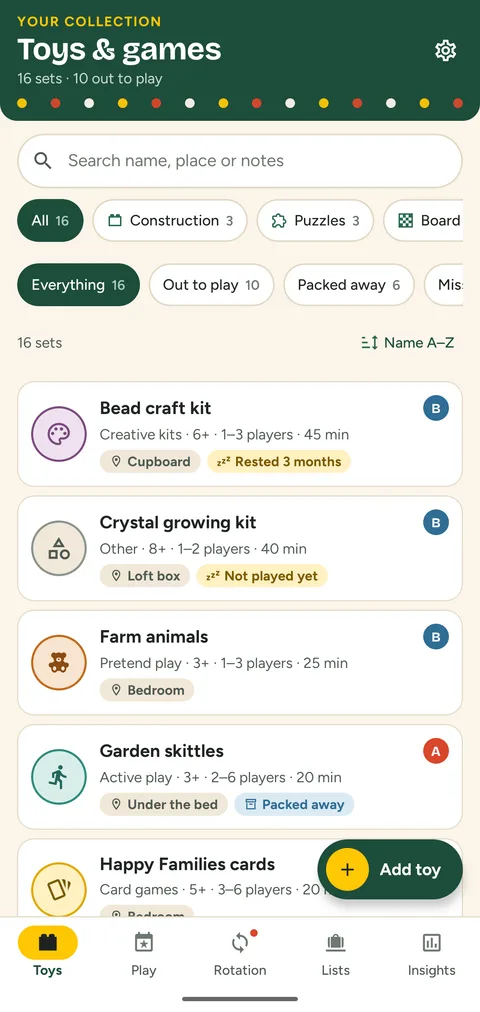
The collection screen with toy cards, category filters and badges for packed-away sets and missing pieces
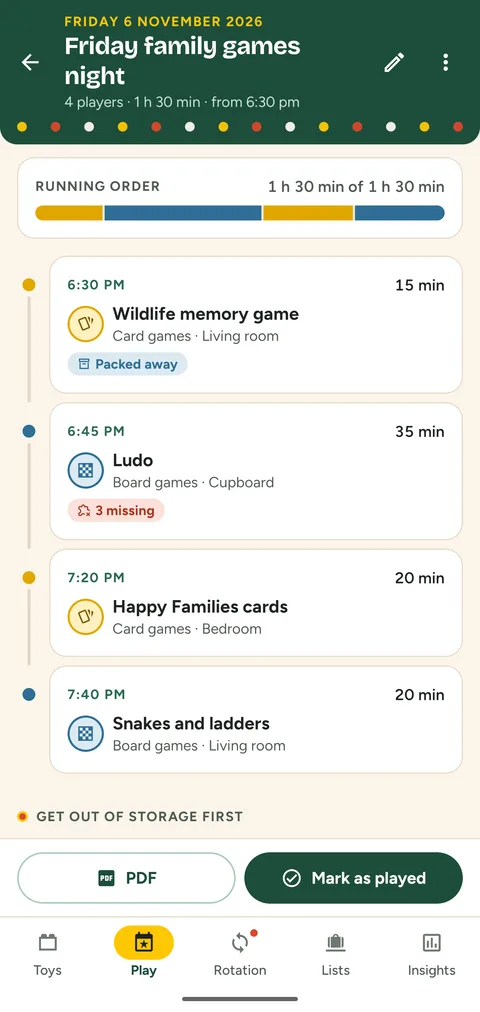
A Friday family games night plan with start times for four games
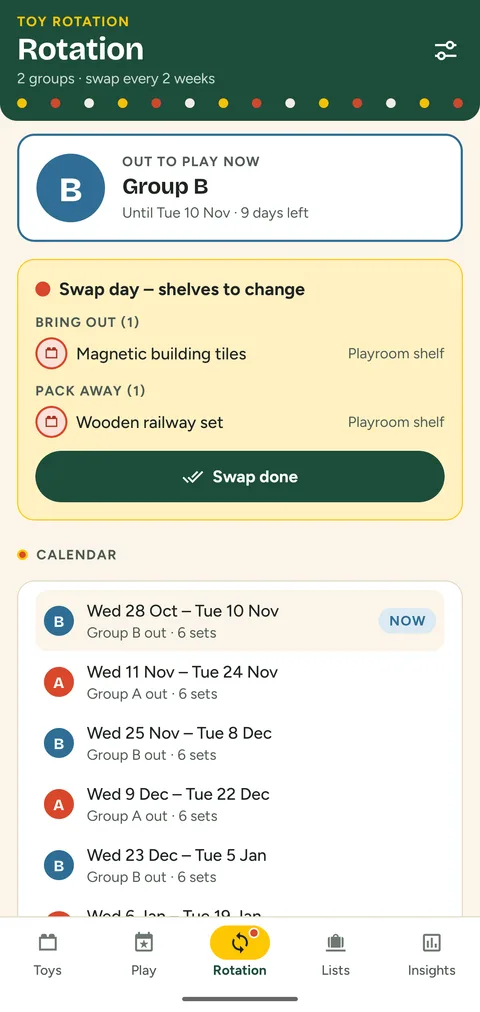
The toy rotation screen with the group out now, the swap list and the calendar

How it works

  1. Catalogue

    Add each set with up to three photos, the maker's age guidance, pieces, players, session length and the shelf or box it lives in.

  2. Plan

    Say how long you have and how many will play. The planner suggests line-ups from your own collection.

  3. Play and note

    Mark the plan as played or log a play yourself – with your own impressions, not anyone else's ratings.

  4. Rotate

    Let groups of toys take turns. On swap day the app lists what to bring out and what to pack away.

What Toy Collection & Play Planner does

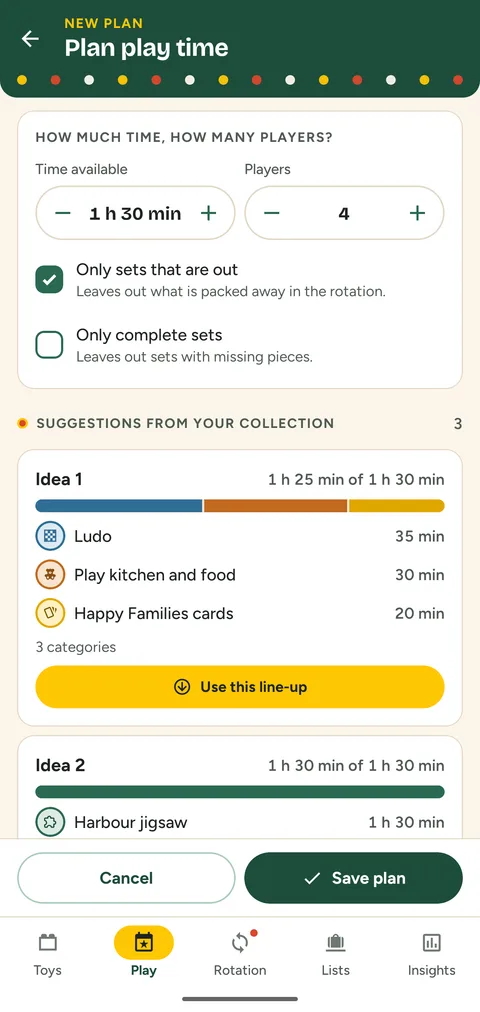
The play planner with time available, players and suggested line-ups

Play planner

Play plans built from your own shelves

Pick the time available and the number of players. The planner offers up to three line-ups that fit, mixes categories and puts the sets that have rested longest first. Adjust the running order and minutes, add a day and a start time, and see which sets need fetching from storage.

  • Leaves out packed-away or incomplete sets if you wish
  • Start times for every activity
  • Plans export to PDF or plain text
The rotation screen with group B out to play and the swap list

Toy rotation

Fewer toys out, more of them played

Split the collection into two to four groups and choose how often they swap. The calendar shows which group is out now and when the next swap is due. On swap day you get a checklist of what to bring out and what to pack away – right in the app, with no notifications.

  • Groups mixed by category in one tap
  • Sets can also stay out all the time
  • Undo after a swap
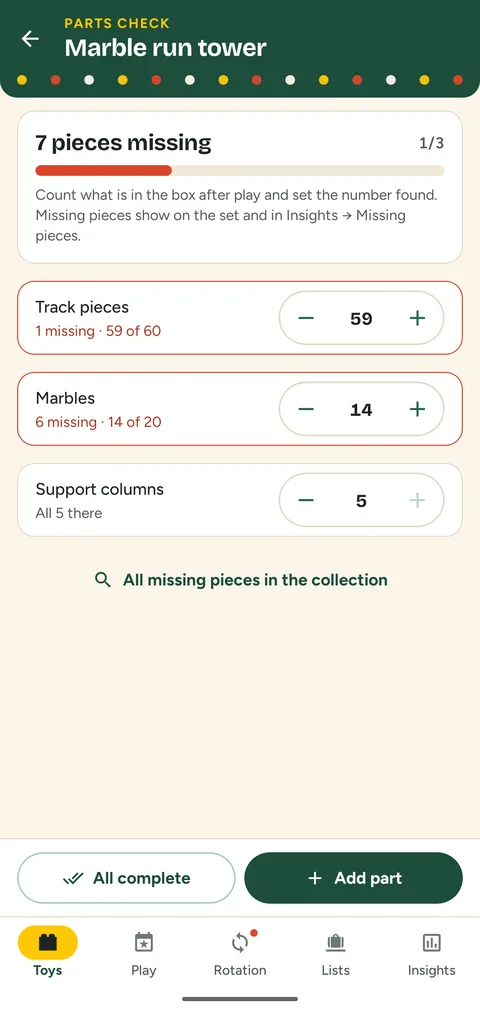
The parts check of a marble run with counters per part

Parts check

Know which pieces have gone missing

List what belongs in each box – counters, track pieces, marbles, dice – and count what is there after play. Missing pieces show on the set, in the collection filter and in one list for the whole house that you can print for the next tidy-up.

  • Counts per part, not just per box
  • Planner can skip incomplete sets
  • Missing-pieces checklist as PDF
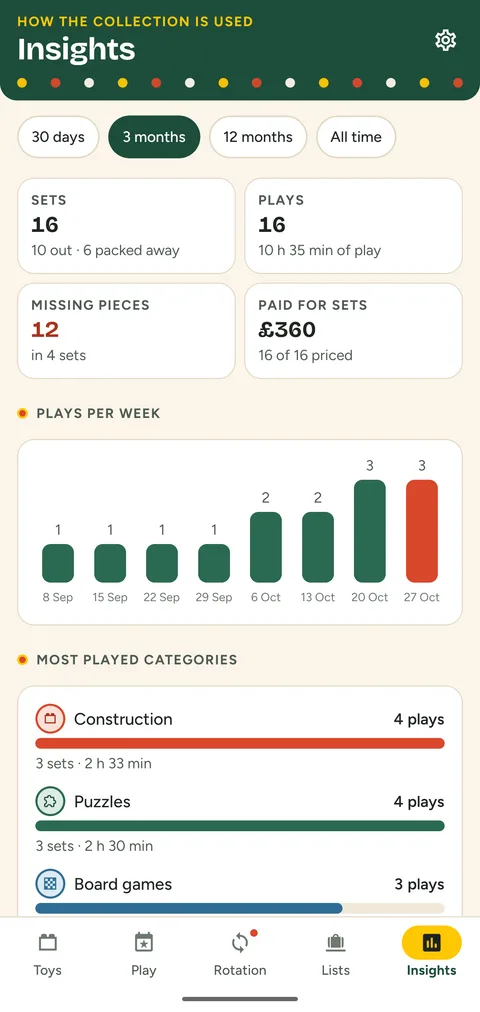
The insights screen with totals, plays per week and categories

Insights

See what gets played – and what rests

The play diary feeds simple statistics: plays per week, the most played categories, family favourites and the sets nobody has opened for a month or more. One tap turns resting sets into a new play plan.

  • 30 days, 3 months, 12 months or all time
  • Resting threshold you choose
  • Optional price paid for a contents list
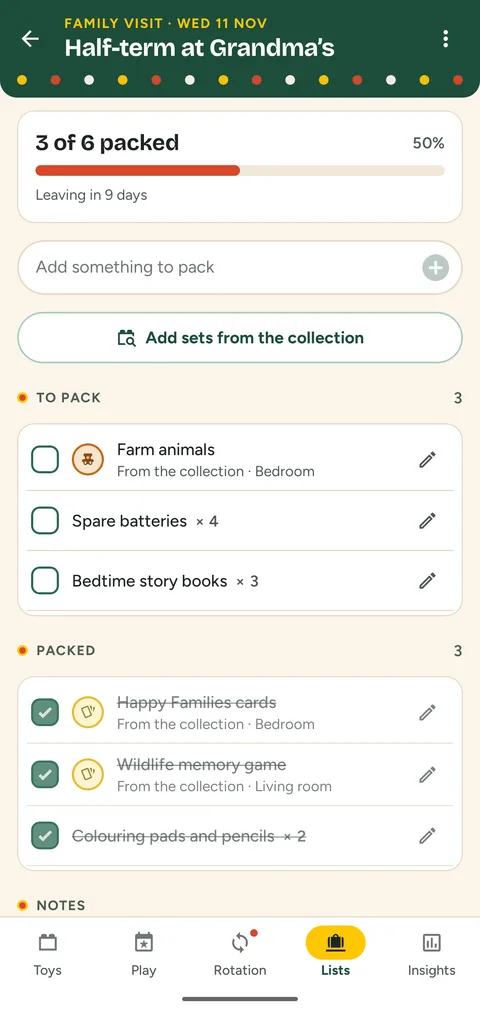
A packing list for a family visit with packed and unpacked entries

Packing lists

Pack the right games for trips and visits

Make a checklist for a holiday or a weekend at the grandparents', add sets straight from the collection plus anything else, and tick them off as they go in the bag. Copy the list for the next trip with nothing ticked.

  • Quantities for each entry
  • Share as text or print as PDF
  • Lists with a date come first

Private by design

The collection belongs to your family, so it stays with you. Read the privacy policy.

No account
Open the app and start. There is nothing to sign up for.
Stays on your phone
Sets, photos, diary, plans and lists are stored only on the device. The app makes no network connections.
No adverts, no tracking
No ads, no analytics, no in-app purchases. Every feature is free.
No notifications
Swap days and plans are shown inside the app. Nothing pings you.

Questions

Is it really free?

Yes. There are no purchases, subscriptions or adverts, and no feature is locked.

Does it need the internet?

No. The app works fully offline and does not connect to any server.

Who is it for?

Parents and carers who look after the family's toys and games. Age guidance shown for each set is the maker's guidance that you enter yourself.

How do photos get into the app?

You choose images in the Android file picker. They are resized and kept inside the app; the app needs no camera or storage permission.

Can I move my collection to a new phone?

Yes. Make a backup file in Settings (with photos if you like), keep it somewhere safe and restore it on the new phone.

Can I print things?

Play plans, inventory cards, the missing-pieces list and packing lists export to PDF, ready to print or share.

Toy Collection & Play Planner

Free for Android. No account, no adverts, works offline.

Questions? Write to [email protected].

Coming soon to Google Play